
In 2026, the right software and apps can make a huge difference in productivity, learning, and even creativity. Whether you’re a student, entrepreneur, or professional, using the right tools helps you get more done with less effort. In this post, we’ve selected 5 essential software and apps that are worth checking out, along with tips on how to use them effectively.
Imagine starting your day with a clear plan, your tasks organized, your design work ready to go, and your notes perfectly structured. The right software and apps make this possible — even for beginners. In this guide, we explore how you can combine 5 essential tools to simplify your daily work, learn new skills, and stay productive, with examples you can apply immediately.
Section 1: Organize Your Thoughts – Notion
Sarah, a freelance designer, struggled to manage her projects and notes. After using Notion, she could track client tasks, store design references, and create templates for recurring projects.
Key Features:
- All-in-one workspace for notes, tasks, and wikis
- Custom templates for projects
- Team collaboration

Quick Tip:
Start with one page for your daily tasks, and gradually expand into project boards.
Section 2: Plan Tasks Visually – Trello
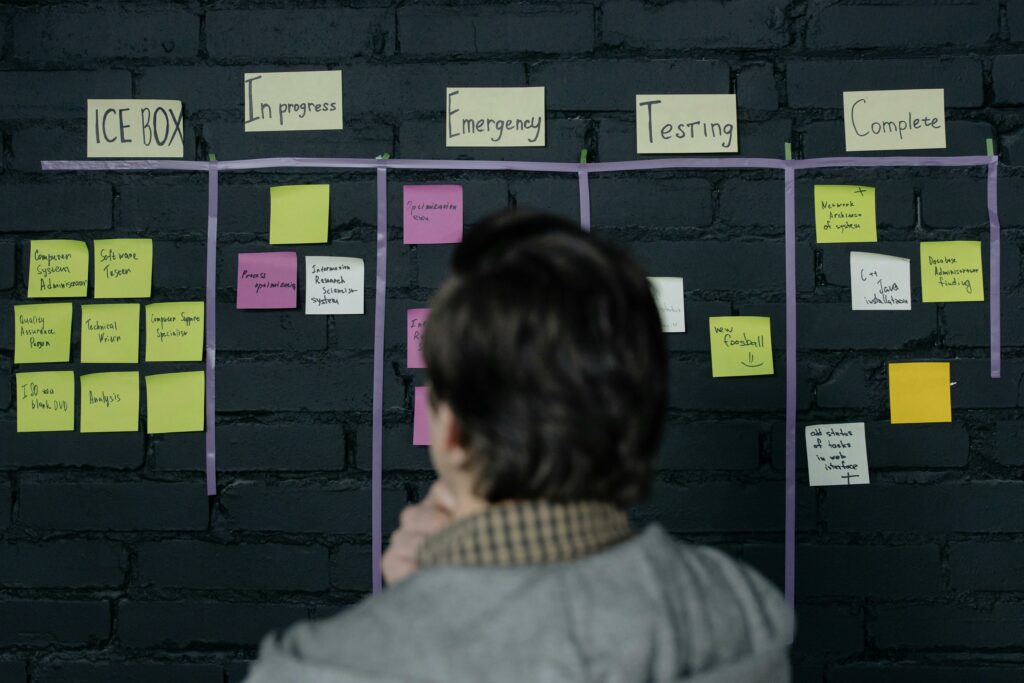
James runs a small online store. He used to forget shipments and deadlines. With Trello, he organizes tasks into “To-Do,” “In Progress,” and “Done” columns, making work visible and manageable.
Key Features:
- Drag-and-drop boards
- Deadlines and checklists
- Integrations with Slack and Google Drive
Quick Tip:
Use color-coded labels for urgent vs low-priority tasks
Section 3: Design Without Stress – Canva
Imagine creating a flyer in 10 minutes instead of hours. That’s what Canva does. From social media posts to marketing materials, Canva makes design intuitive.

Quick Tip:
Use pre-made templates, but customize colors and fonts to match your brand.
Section 4: Write Like a Pro – Grammarly
Ali writes emails daily for his startup. Grammarly helped him avoid embarrassing typos and improve the tone of his messages — even on mobile.
Quick Tip:
Enable the browser plugin to check emails, blog posts, and social media messages automatically.
Section 5: Track Tasks & Goals – Todoist
Maya wanted to track her personal and work tasks in one place. Todoist lets her set recurring tasks, add labels, and review productivity trends weekly.
Quick Tip:
Combine Todoist with Google Calendar for visual planning.
How to Combine These Tools for Maximum Productivity
Instead of using tools separately, try this workflow:
- Notion – Plan and track projects
- Trello – Manage visual task boards
- Canva – Create quick designs for tasks
- Grammarly – Ensure all written content is polished
- Todoist – Track deadlines and personal goals
When used together, these apps create a digital productivity ecosystem that beginners can use without being overwhelmed.